AuthorWorkplace AuthorWorkplace

How to start your first novel

A novel takes a minute to start. You do not need a finished premise: notes, characters and the world come later, inside.

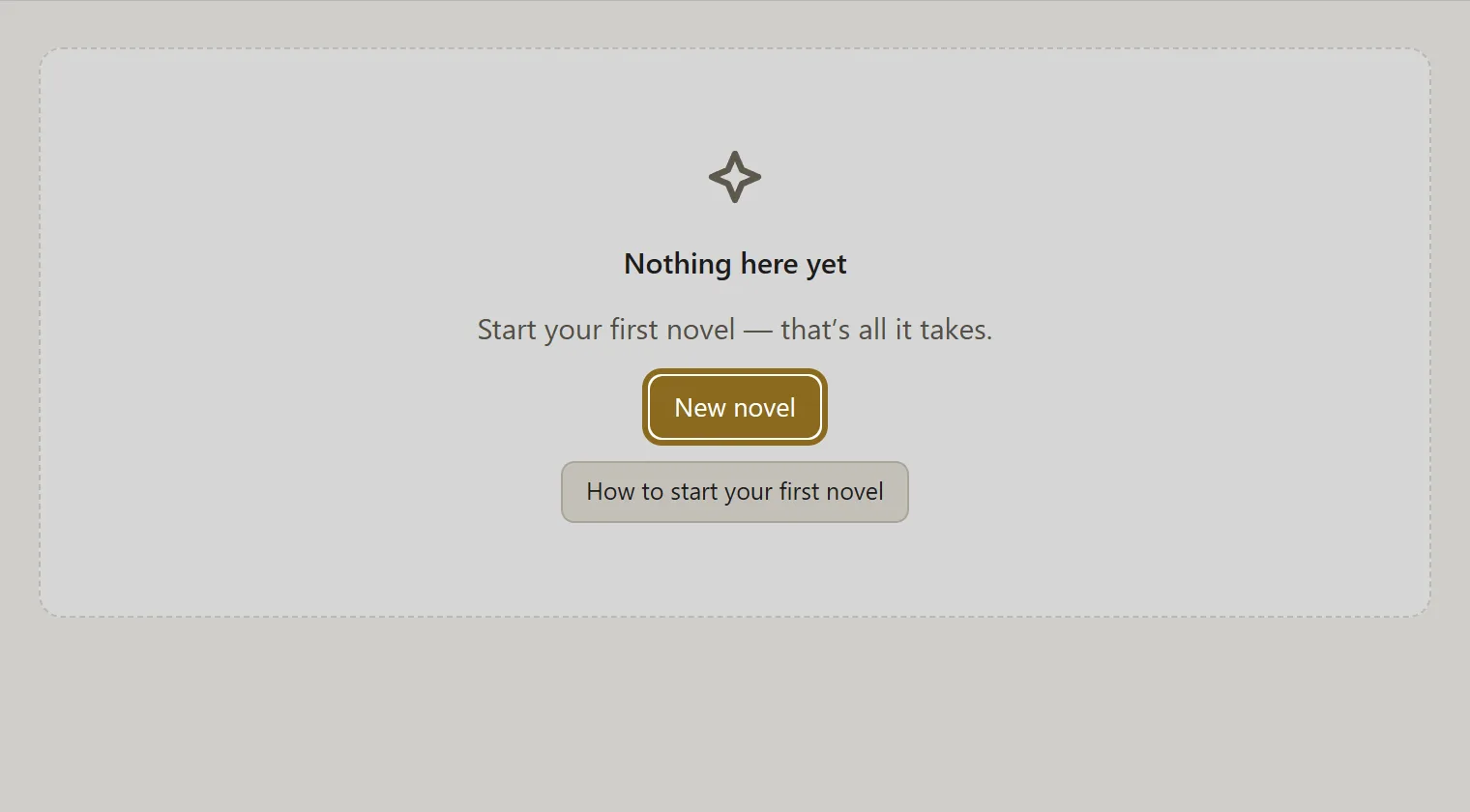
  1. On the workbench, click New novel.

    Screenshot for step 1: On the workbench, click “New novel”.

  2. Choose where to begin: “From a blank page” for a new story, “Upload your text” if part of the book is already written.

  3. Enter a title — you can change it later — and click Create novel.
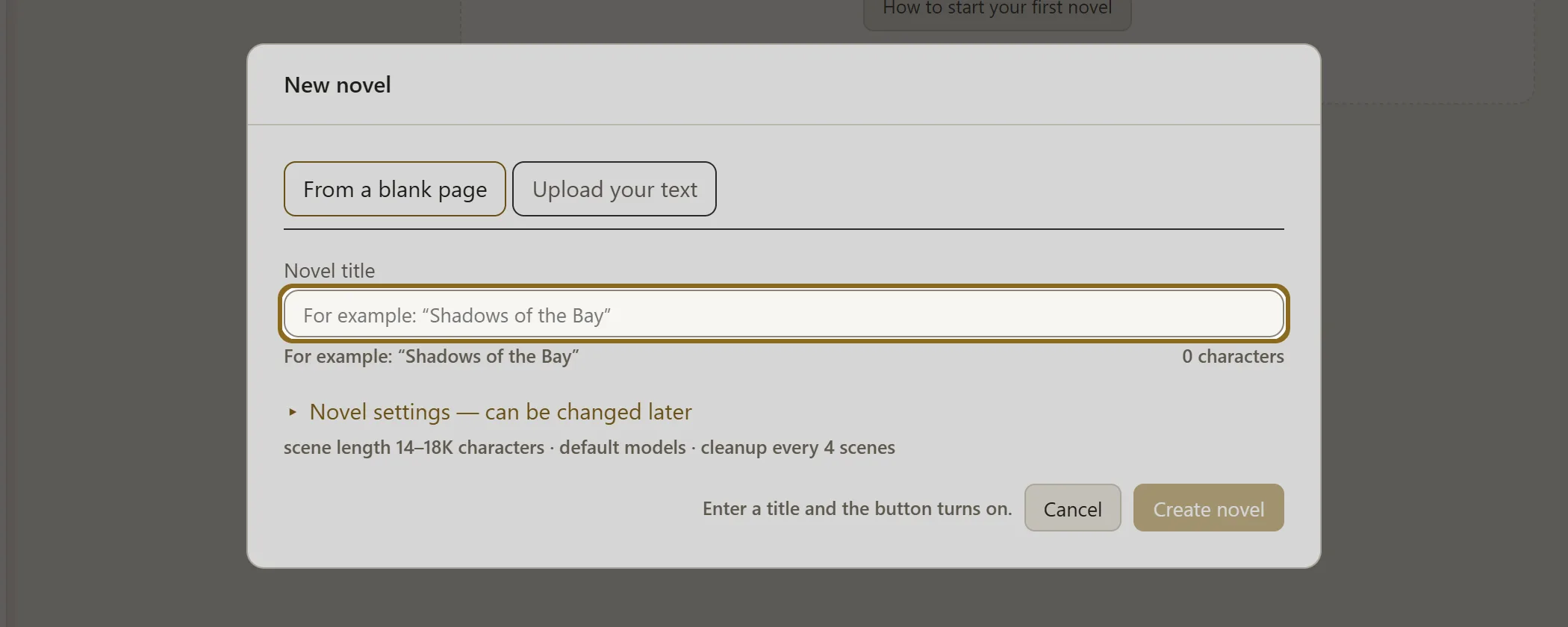
    Screenshot for step 3: Enter a title — you can change it later — and click “Create novel”.

  4. The novel opens. The bar at the top shows the novel’s path and suggests your next step.

How it works The scene — the unit of a novel In AuthorWorkplace a novel is written in scenes. A scene is the smallest piece of the story that has a place of its own, a time of its own and its own…
Screenshot for step 1: On the workbench, click “New novel”.
Screenshot for step 1: On the workbench, click “New novel”.Swipe across the picture to look closerOpen the full-size file
Screenshot for step 3: Enter a title — you can change it later — and click “Create novel”.
Screenshot for step 3: Enter a title — you can change it later — and click “Create novel”.Swipe across the picture to look closerOpen the full-size file