
How to proofread and finish the novel
The “Novel finalization” section opens the novel as one canvas: the scenes one after another, the way a reader will see them. Here you read, mark the weak places, and the assistant offers fixes. The section opens once the novel has at least one written scene. The fixes are written straight into the scenes of the novel.
-
In the novel sections, open “Novel finalization”. On the left is the contents, in the centre the text of the novel, on the right the “Proofreading and assistant” column.
-
Read. When you notice a weak place, select the fragment with the mouse — a marking window opens. A mark lives inside one scene: you cannot select across the boundary between scenes.
-
Click a ready-made note — the fix for that scene starts at once. Or write the note in your own words and click Fix now. The Mark without running button stores marks up so that you can handle them all at once from the right-hand column.
-
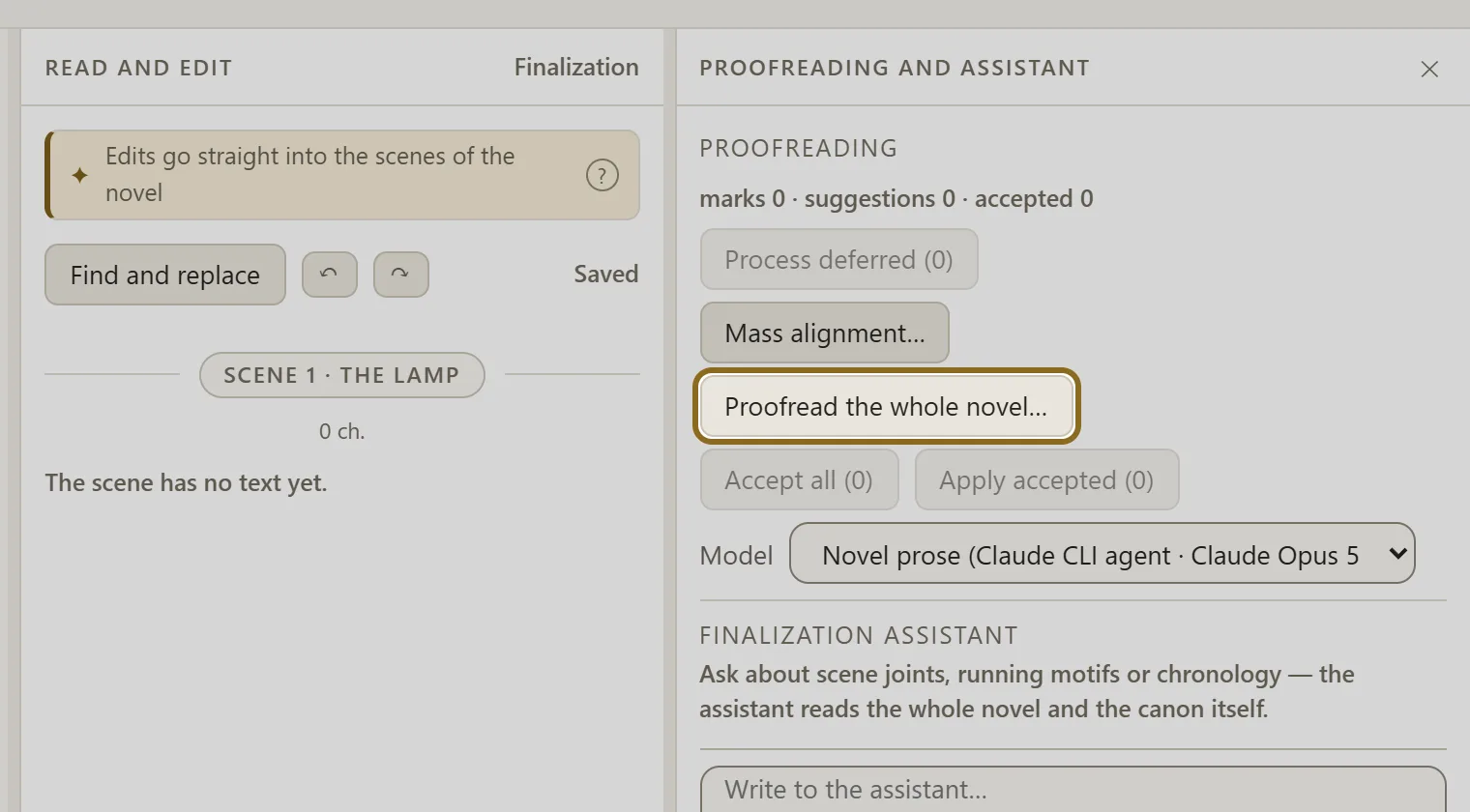
If you want the assistant to go through the whole novel itself, click Proofread the whole novel…, tick what to look at (style, repetitions, the joins between scenes, logic) and click Start proofreading. The proofreading runs in the background: you can close the screen.
-
Decide on every “before → after” proposal: Accept or Reject. The “after” text can be corrected before you accept it. Accepted fixes reach the novel after the button in the right-hand column that applies the accepted ones.
-
When the novel is ready, switch on “Novel finished”. The mark locks nothing — you can go on editing. The Done button takes you back to the scenes.